


Best WiFi and mesh setup for expats in Brussels


Moving into a Brussels home and discovering that your WiFi barely reaches the next room is one of those frustrations no one warns you about. Thick concrete walls, old brick construction, and multi-floor layouts make the best WiFi and mesh setup for expats in Brussels a genuinely important decision, not just a nice-to-have. Whether you are working remotely, streaming, or managing a household full of devices, the right setup makes the difference between a productive day and a dropped video call at the worst possible moment. This guide gives you the practical breakdown you need.
Table of Contents - Best WiFi and Mesh Setup for Expats in Brussels
Key takeaways
Point | Details |
Belgian walls kill WiFi signal | Thick concrete and brick reduce effective coverage to 70–80% of a system’s claimed range. |
Match your mesh to your floor plan | Use a two-pack for flats under 2,000 sq ft and a three-pack for larger homes. |
Wi-Fi 6 covers most expat needs | Wi-Fi 6 handles 100–200 devices and suits plans from 300 Mbps to gigabit speeds. |
Wired backhaul beats wireless | Ethernet-connected access points avoid bandwidth sharing and deliver more reliable performance. |
Proximus bridge mode needs care | Setting up your own router behind Proximus requires VLAN 20 config to avoid wired device failures. |
1. Key criteria for choosing the best WiFi and mesh setup in Brussels
Before you buy anything, it helps to understand what actually drives WiFi performance in a typical Brussels home. Getting this right saves you money and avoids a second round of purchases.
Building materials come first. Brussels apartments and townhouses often use thick masonry walls, reinforced concrete floors, and heavy internal partitions. These materials absorb and reflect radio signals far more than the plasterboard walls common in British or American homes. A system that covers a 150 sq metre open-plan space in London may struggle to reach the bedroom two rooms away in Ixelles.
Key factors to assess before choosing your setup:
Wall and floor construction. Concrete and brick demand more nodes or wired access points.
Internet plan speed. Match your router or mesh system’s maximum throughput to your Proximus or Telenet plan. A Wi-Fi 5 router bottlenecks a 500 Mbps fibre connection.
WiFi generation. Wi-Fi 6 handles 100–200 devices comfortably and suits plans from 300 Mbps upward. Wi-Fi 7 is worth considering if you have a gigabit plan or want future-proofing.
Backhaul type. Wired Ethernet backhaul between nodes is faster and more reliable. Wireless backhaul is easier to install but shares bandwidth between nodes and client devices.
Ethernet ports. If you connect a smart TV, desktop, or NAS drive by cable, check how many ports each node offers.
Security standard. Look for WPA3-Personal as a minimum. It is now standard on most Wi-Fi 6 and Wi-Fi 7 systems.
Pro Tip: Before buying a mesh system, walk your home with your phone and note where signal drops below two bars. This tells you exactly how many nodes you need and where to place them.
2. Popular mesh WiFi systems suited to Brussels expat homes
There is no single best mesh system for every expat situation, but a few options stand out for Brussels-specific conditions.
Proximus Internet Box+ and Wi-Fi Boosters+ are the simplest starting point if you are already a Proximus customer. The Internet Box+ uses Wi-Fi 7 with Multi-Link Operation (MLO), which maintains speed and stability by connecting across multiple frequency bands simultaneously. Each Wi-Fi Booster+ adds coverage and costs €4.50 per month. WPA3-Personal is enabled by default, which is a genuine security benefit. For most expats renting a flat in Schaerbeek or Uccle, one Booster+ added to the Internet Box+ covers a standard two or three-bedroom apartment well.
TP-Link Deco X55 and X20 are reliable mid-range options if you want to own your equipment outright. The X55 supports Wi-Fi 6 with speeds up to 3 Gbps across its bands, covers around 500 sq metres per node, and handles busy households without complaint. The X20 is a budget-friendly alternative that suits smaller flats. Both are straightforward to set up via the Deco app, which is fully available in English. For those wanting to future-proof, the TP-Link Deco BE23 offers Wi-Fi 7 at a competitive price point.
Amazon Eero 6 works well for expats who already use Amazon smart home devices. Setup takes around ten minutes, the app is clear and English-language, and the system doubles as a Zigbee smart home hub. It is not the fastest option, but for a two-bedroom apartment with moderate usage, it does the job without any technical fuss.
Tenda Nova MX12 suits very large homes or properties with outbuildings. It covers up to 600 sq metres per node and supports Wi-Fi 6. The price is lower than comparable TP-Link models, though the management app is less polished.
A few general points worth knowing:
Consumer mesh systems claim coverage figures based on open-plan spaces. In Belgian construction, expect 70–80% of the stated range in practice.
All systems listed above support wireless backhaul out of the box. Wired backhaul requires Ethernet cabling between nodes but delivers noticeably better performance.
Proximus Wi-Fi 7 with MLO is particularly suited to households with multiple people on video calls simultaneously, which is a common scenario in expat homes where partners work remotely in different rooms.
3. Wired access points versus wireless mesh for multi-floor Brussels homes
This is the comparison that most expat WiFi guides skip, and it is the one that matters most if you live in a three-storey Brussels townhouse.
Feature | Wired access points | Wireless mesh |
Backhaul performance | Full speed, no sharing | Shared bandwidth, potential bottleneck |
Installation effort | High (Ethernet cabling required) | Low (plug in and connect) |
Reliability | Excellent, consistent | Good, varies with interference |
Longevity | 7–10+ years for business-class units | 3–5 years typical for consumer mesh |
Cost upfront | Higher (hardware + installation) | Lower |
Management | Advanced, more control | Simple app-based |
Wired access points outperform wireless mesh on latency, throughput consistency, and roaming stability. The reason is simple: a wired backhaul carries data at full speed between the router and each access point, while a wireless mesh node uses part of its radio capacity to talk back to the main unit. That shared bandwidth creates a bottleneck, especially on the furthest node from your router.
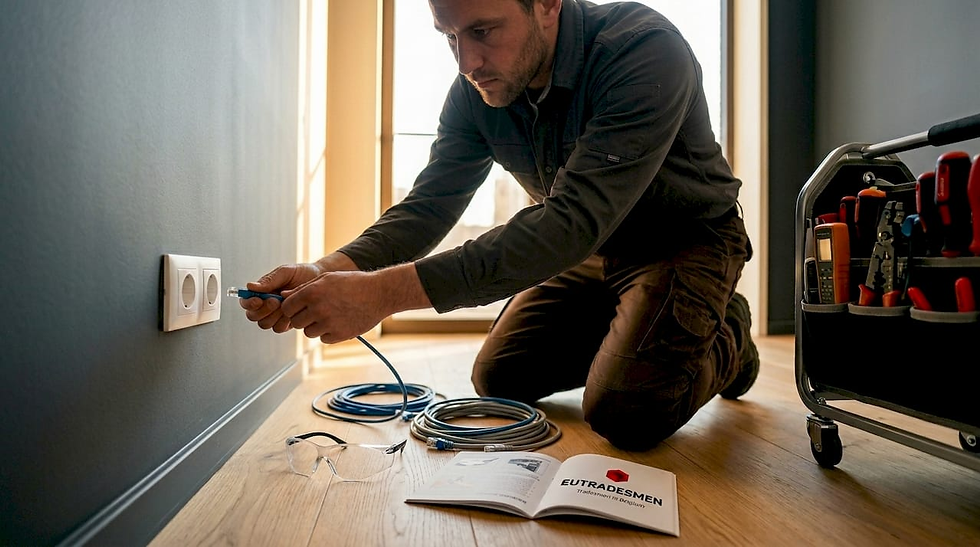
Business-class wired access points such as Ubiquiti UniFi models last seven to ten years or more, avoid cloud dependencies, and give you advanced roaming and security features. A ceiling-mounted Wi-Fi 7 access point in each room delivers performance that no consumer mesh system can match at the same price over a five-year period.
The catch is installation. Running Ethernet cable through plastered walls and across concrete floors in a Brussels apartment is not a weekend DIY project. It requires drilling, cable routing, and sometimes making good the walls afterwards. For homeowners, it is a worthwhile investment. For renters, wireless mesh is the practical choice.
Pro Tip: If your Brussels home already has Ethernet wall sockets (common in newer builds and some renovated properties), check whether they are active before buying a mesh system. You may already have the infrastructure for wired access points.
4. Integrating your own router with a Proximus fibre connection
Many expats want to use their own router rather than rely entirely on the Proximus Internet Box+. This is completely possible, but it requires a specific setup to avoid problems.
There are two approaches:
Bridge mode via MyProximus app. This puts the Internet Box+ into a pass-through mode, allowing your own router to manage the network. Activate bridge mode through the MyProximus app rather than the device interface. This avoids double NAT, where two routers both try to manage IP addresses and cause conflicts.
Direct connection to the fibre terminal. Connect your router directly to the optical network terminal using VLAN 20 configuration on the WAN port. This removes the Internet Box+ from the chain entirely and gives your router full control.
Common issues to watch for:
Wired devices losing internet while wireless works fine after enabling bridge mode. This usually points to a VLAN or WAN setting error on your router.
IP address conflicts if bridge mode is not fully active before connecting your router.
Some routers require manual DNS entry when connected directly to the Proximus fibre terminal.
Community users on the Proximus forum consistently report that bridge mode wired failures are caused by incorrect VLAN or WAN settings on the personal router, not by Proximus itself. Checking your router’s WAN interface settings first resolves most cases.
The benefit of managing your own router is real. You get full control over your WiFi network names, security settings, QoS rules, and guest networks. For expats running home offices, this level of control is worth the extra setup effort.
5. Mesh sizing and node placement for Brussels homes
Getting the number of nodes right is as important as choosing the right system. Too few and you have dead zones. Too many placed poorly and nodes interfere with each other.
Start with the two-pack rule. For flats and homes under 2,000 sq ft, a two-node mesh system covers most layouts. For homes between 2,000 and 4,000 sq ft, use a three-pack. These are practical sizing guidelines based on real-world coverage, not marketing claims.
Account for Belgian construction. Thick walls reduce effective range to roughly 70–80% of the stated coverage. A system claiming 400 sq metres per node realistically covers 280–320 sq metres in a masonry building.
Space nodes correctly. Place nodes 30–50 feet apart with as few walls as possible between them. Placing a second node at the far end of a long corridor rather than halfway along improves coverage at the edges of your home.
Use wired backhaul where possible. If you have an Ethernet socket in a second room, connect your mesh node to it. This frees up the wireless radio entirely for client devices.
Test with a free app. Use an app such as WiFi Analyser (Android) or Network Analyser (iOS) to map signal strength in each room before and after placing nodes. This removes the guesswork entirely.
Pro Tip: Avoid placing mesh nodes inside cupboards, behind televisions, or on the floor. Height and open air improve signal propagation significantly in masonry buildings.
6. Expert tips for a stable and secure WiFi setup for remote work
Once your hardware is in place, a few configuration choices make a meaningful difference to day-to-day reliability.
Enable WPA3-Personal. Most Wi-Fi 6 and Wi-Fi 7 systems support it. It is more resistant to brute-force attacks than WPA2 and should be your default security setting.
Use QoS to prioritise work devices. Quality of Service settings let you tell your router to prioritise your work laptop or video call device over streaming boxes and smart home gadgets. This prevents a 4K film download from disrupting a client call.
Separate work and personal traffic with a guest network or VLAN. Isolating remote work traffic reduces the risk of personal devices affecting work connections and adds a layer of security.
Check device compatibility. Wi-Fi 6 and Wi-Fi 7 speeds only apply when your device also supports that standard. An older laptop connecting to a Wi-Fi 7 mesh node still connects at Wi-Fi 5 speeds. This does not cause problems, but it means you will not see the full benefit on older hardware.
Update firmware regularly. Mesh systems and routers receive security and performance updates. Check the manufacturer’s app monthly or enable automatic updates.
Pro Tip: If your video calls drop at the same time each day, check whether a scheduled backup, cloud sync, or streaming device is consuming bandwidth at that time. QoS rules targeting your work device resolve this in most cases.
My honest take on WiFi setup for Brussels expats
I have helped a lot of expats sort out their home networks in Brussels, and the same pattern comes up repeatedly. People arrive expecting their ISP equipment to just work, and then spend weeks dealing with dead zones and inconsistent speeds before asking for help.
The honest truth is that the Proximus Internet Box+ is a capable device. For a compact flat in Ixelles or a modern apartment in Tervuren, it often does the job with one Booster+ added. The mistake is assuming it will cover a three-floor townhouse in Schaerbeek without any additional nodes or wired support.
Wired access points are the best solution for large homes. I know that. But I also know that most expats rent, and drilling through Belgian masonry to run Ethernet cable is not something a landlord will approve without a conversation. For renters, a quality wireless mesh system placed well is genuinely good enough for remote work and streaming.
What I would push back on is the idea that the cheapest mesh system will do. The difference between a budget Wi-Fi 5 mesh and a mid-range Wi-Fi 6 system is noticeable in a busy household. Spend a little more upfront and you will not be replacing it in two years.
Future-proofing with Wi-Fi 7 makes sense if you have a gigabit fibre plan and a home full of newer devices. If you are on a 200 Mbps plan with a five-year-old laptop, Wi-Fi 6 is more than enough.
— Eutradesmen
Get your Brussels WiFi sorted by English-speaking experts
Setting up a mesh network or integrating your own router with Proximus sounds straightforward until you are staring at a configuration screen in French or Dutch at 10pm with a client call at 8am. That is exactly where Eutradesmen steps in.

Since 2000, Eutradesmen has helped English-speaking expats across Brussels, Waterloo, Tervuren, and beyond get their homes working properly. From WiFi and mesh installation to full network setup and Proximus router integration, the team handles it in plain English with no jargon and no guesswork. Need a Brussels handyman who understands both the technical side and the local setup? Get in touch with Eutradesmen today and get a clear, honest quote.
FAQ
What mesh system works best in thick-walled Brussels homes?
Wi-Fi 6 mesh systems such as the TP-Link Deco X55 or the Proximus Wi-Fi Booster+ perform well in masonry buildings. Expect 70–80% of the stated coverage range due to Belgian wall construction.
Can I use my own router with Proximus fibre?
Yes. You can activate bridge mode via the MyProximus app or connect directly to the fibre terminal using VLAN 20 settings on your router’s WAN port to avoid double NAT issues.
How many mesh nodes do I need for a Brussels townhouse?
A two-pack covers most flats under 2,000 sq ft. For a three-floor townhouse between 2,000 and 4,000 sq ft, a three-pack is the better choice, particularly in older masonry buildings.
Is Wi-Fi 7 worth it for expats in Brussels right now?
Wi-Fi 7 is worth considering if you have a gigabit fibre plan and newer devices. For most expats on standard plans, Wi-Fi 6 is sufficient and more affordable.
What causes WiFi dead zones in Belgian apartments?
Thick concrete and brick walls absorb and reflect radio signals far more than lightweight partition walls. Placing mesh nodes with clear line-of-sight between them, or using wired Ethernet backhaul, resolves most dead zone issues.
#WiFiSetupBelgium #BrusselsHandyman #MeshWiFiBrussels #ExpatBelgium #HomeNetworkSetup #WaterlooExpats #Tervuren #BrusselsExpats #HighSpeedInternetBelgium #EnglishHandymanBrussels #ProximusSetup #WiFi6Belgium #RemoteWorkBrussels #IxellesExpats #UccleHandyman
Recommended
Contact Eutradesmen:
WhatsApp: +32 466 900 281
Telephone: +32 2 808 70 31
Email: info@eutradesmen.com
Follow us everywhere:
Instagram → https://www.instagram.com/eutrsdesmen/
Facebook → https://www.facebook.com/eutradesmen/
Threads → https://www.threads.com/@eutrsdesmen
Pinterest → https://www.pinterest.com/eutradesmen/
Google Maps → https://maps.app.goo.gl/zjmYyCV1uADPj7QP6
YouTube → https://www.youtube.com/@Eutradesmen
X - Twitter → https://x.com/eutradesmen
Comments